Overview
My Role: Sole designer creating the automated registration flow
Team: 1 Product Manager, 1 Product Owner, 3 engineers
Users: External Acquirers, Merchants, and Acquirer Processors
Context
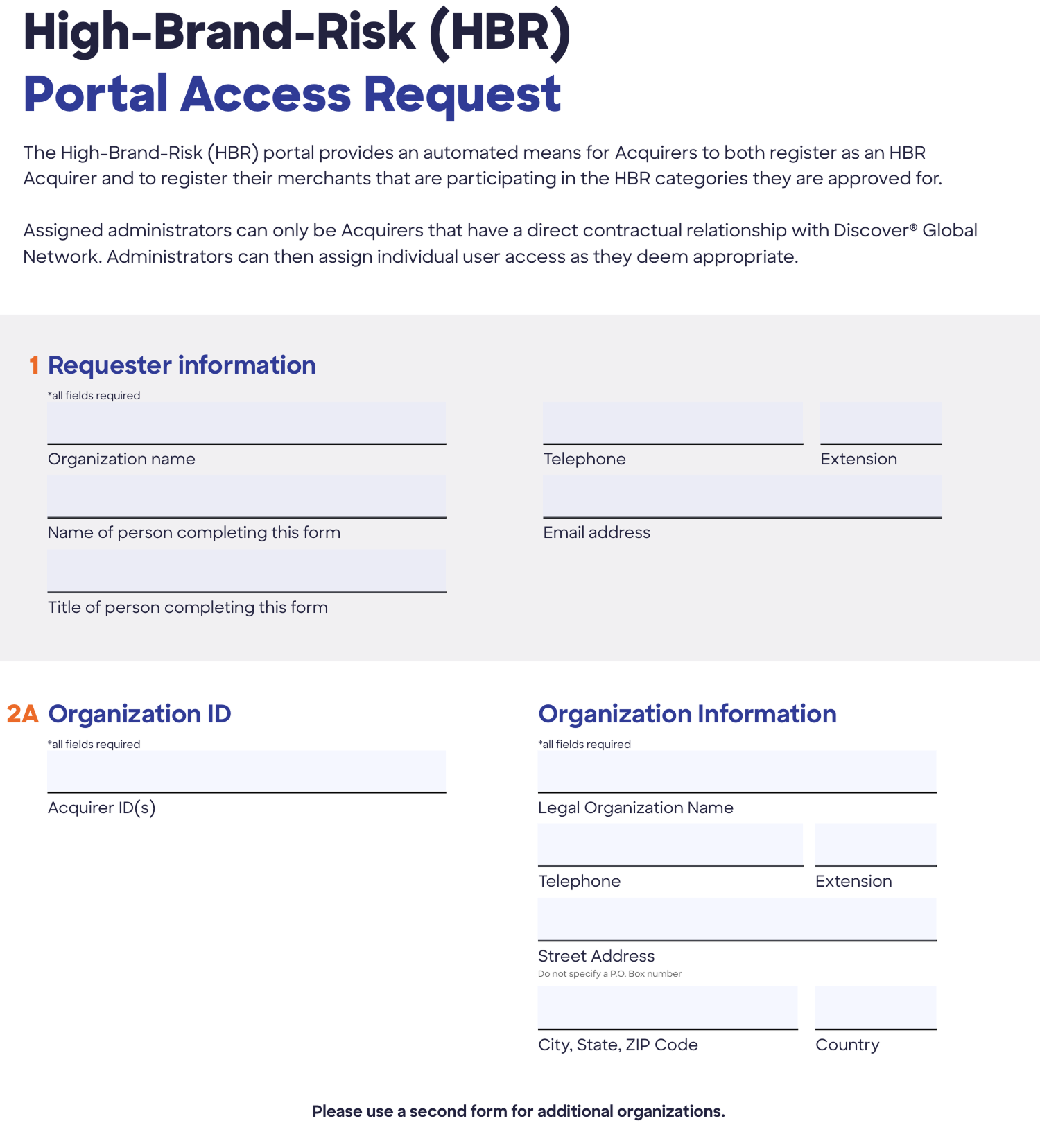
The goal was to automate a manual, PDF-based registration process for High Brand Risk products such as online gambling, skill-based games, and digital currency. There was no existing design system to work from, so patterns were reverse-engineered from the existing site.
The Problem
The legacy process required downloading a PDF form, filling it out offline, and emailing it to a distribution list for the Fraud and Risk Center team to validate and enroll by hand. This created days-long turnaround, a high error rate on incomplete submissions, no way for applicants to track status, and recurring risk compliance delays.
Manual process: download PDF → fill out offline → email to distribution list → FRC team manually validates → FRC team manually enrolls in system
Business impact: days-long turnaround, high error rate on incomplete submissions, poor user experience, no way to track status, operational inefficiency, risk compliance delays
Design Exploration
I explored two directions.
Single-page layout — mirrored the original PDF, everything accessible with no navigation, but errors only surfaced at submission.
Multi-step progressive flow — used progressive disclosure to show only the relevant fields, surfaced errors immediately, and tested better with users.
The progressive approach won.
Design Solution
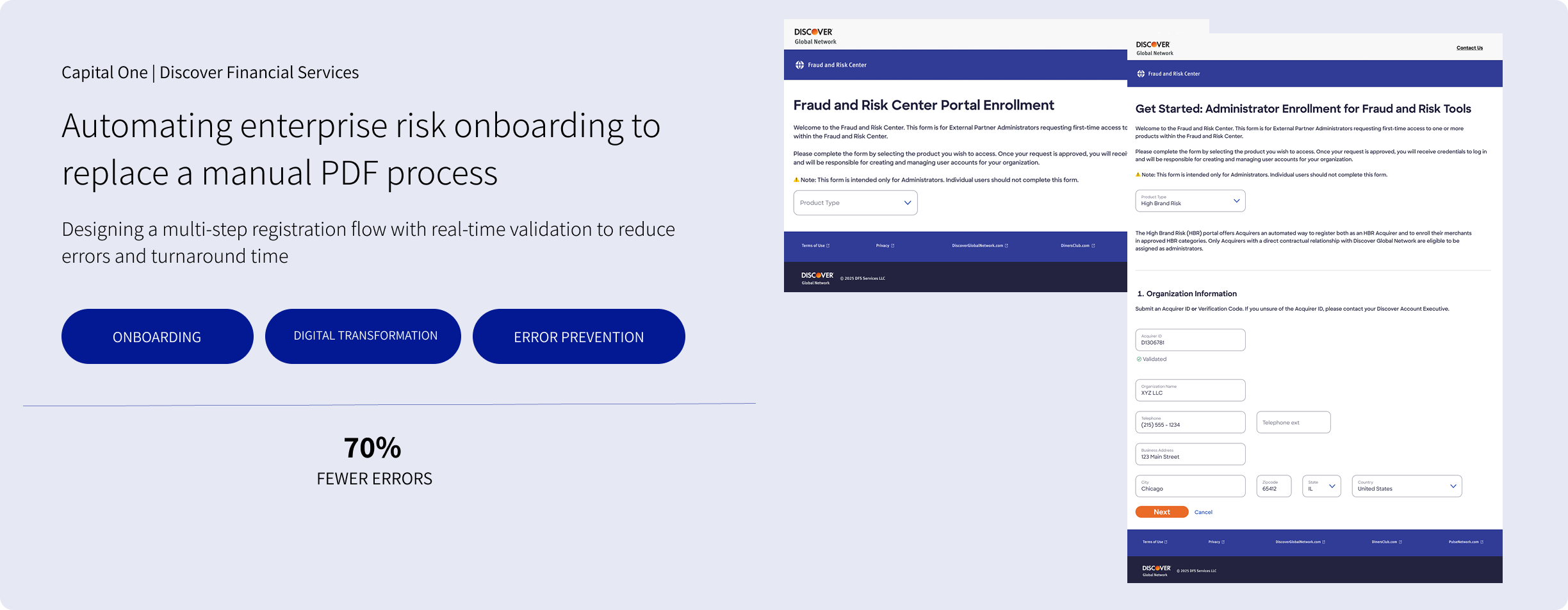
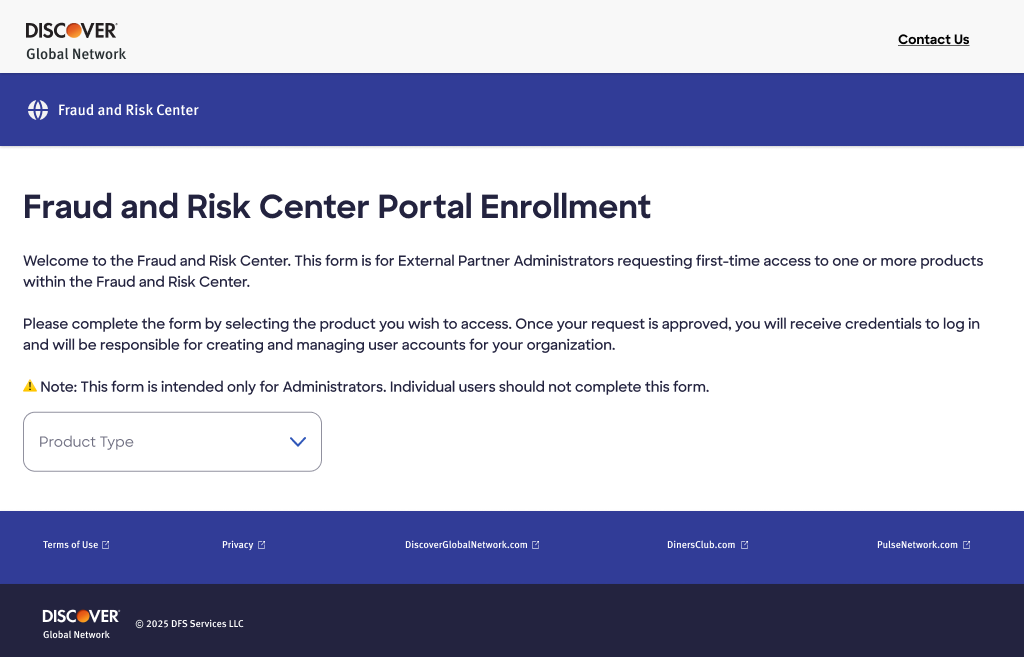
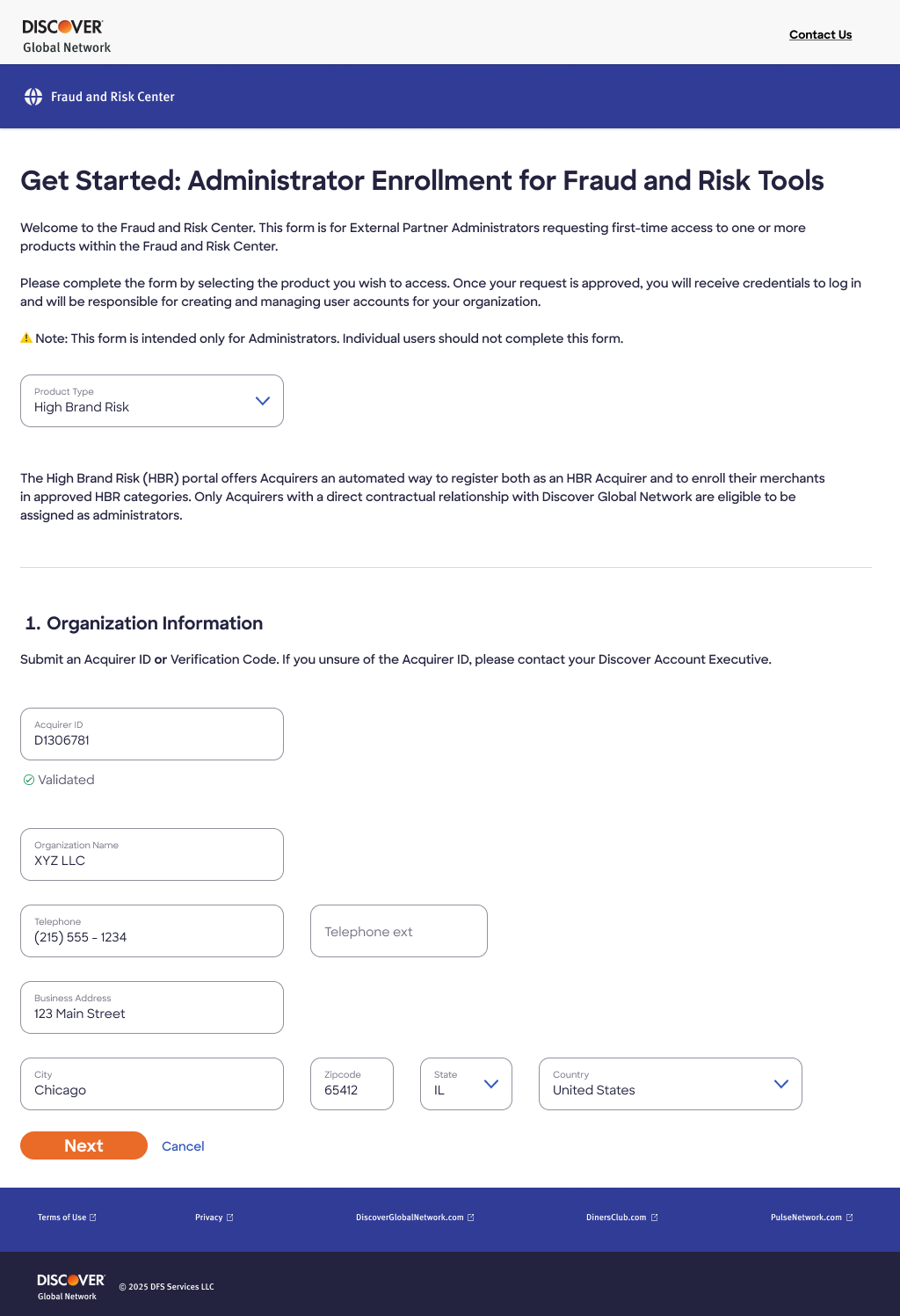
I built a three-step registration flow anchored on product type and organization validation.
Section headings established clear context
Form fields marked required inputs with an asterisk
Navigation used a primary "Submit" or "Next" with a secondary "Cancel"
Design decisions
Error state combining a red border, icon, message, and ARIA support
Two distinct error-guidance paths: an organization that already had an assigned admin (contact relationship manager / contact us) vs. an invalid Acquirer ID (contact relationship manager)
A subtle green checkmark for success
A "Next" button disabled until the step validated
Cross-Functional Collaboration
With Product Management — weekly syncs on priorities; used testing data to justify the multi-step approach and influence scope decisions.
With Engineering — partnered to understand technical constraints, participated in sprint planning and QA, and produced detailed component specs covering state variations, animation timing, and error-handling logic.
With Stakeholders — presented two design options to the VP of Risk and used user testing data to secure approval and resources.
With Users — tested with three Fraud and Risk Center team members in an informal A/B comparison.
What Shipped / Impact
The automated registration system launched as a three-step progressive flow with real-time validation, smart error handling, and clear success confirmation.
Registration time dropped from days to roughly four minutes
Error rate fell about 70 percent
Zero training and little support needed at rollout
Component documentation was reused by the team and became the foundation for a broader design system initiative
Reflections
What worked: real-time validation prevented errors; demonstrating both approaches side by side built alignment; visual consistency held even without a design system to start from.
What I'd change: build in time to create a proper design library; test with external acquirers rather than only internal Fraud and Risk Center staff.
What I learned: this project seeded a broader system effort, and documentation is what enables reuse and scale.